
Portfolio Tracking Sheet — Track Every Property in One Place
Stop managing your portfolio in scattered notes and bank statements. Track income, expenses, cash flow, equity, and growth for every property in a single spreadsheet.
Everything You Need to Track Your Portfolio
One spreadsheet to manage property details, monthly P&L, and portfolio growth across up to 10 properties. Updated monthly, tracked over time.
Portfolio Tracking Sheet
Track up to 10 properties with automated calculations. Portfolio dashboard, monthly P&L per property, and growth tracking with acquisition milestones.
- ✓ Portfolio dashboard with totals and calculated metrics
- ✓ Track up to 10 properties side-by-side
- ✓ Auto-calculated equity, cash flow, cap rate, CoC return
- ✓ Monthly P&L tracker per property (income & expenses)
- ✓ YTD totals with net cash flow summary
- ✓ Growth tracker with acquisition timeline
- ✓ Portfolio milestones (total invested, cumulative CF)
- ✓ Pre-loaded demo data to get started fast
- ✓ Built in Google Sheets — no software needed
See What’s Inside
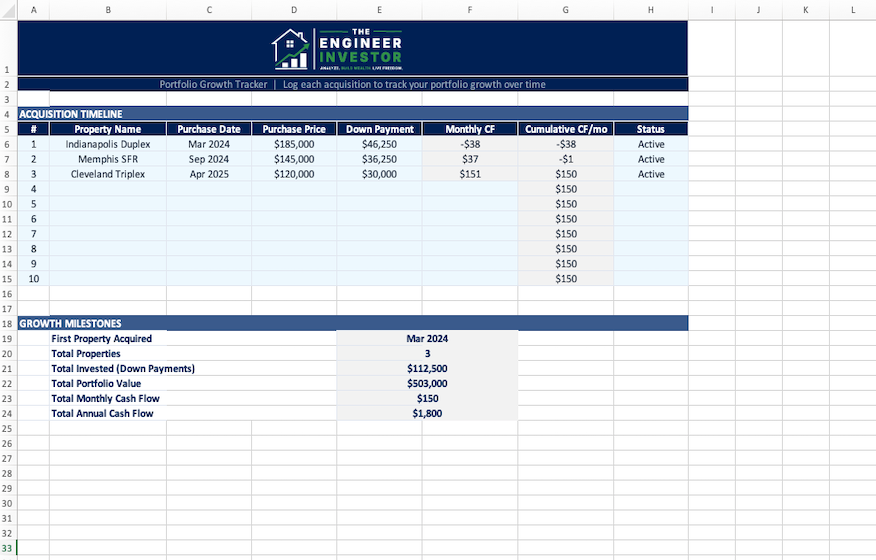
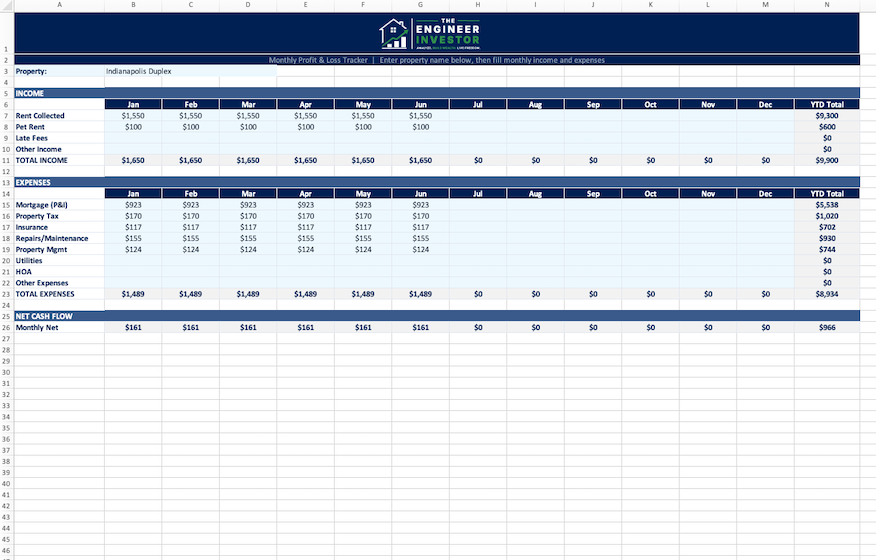
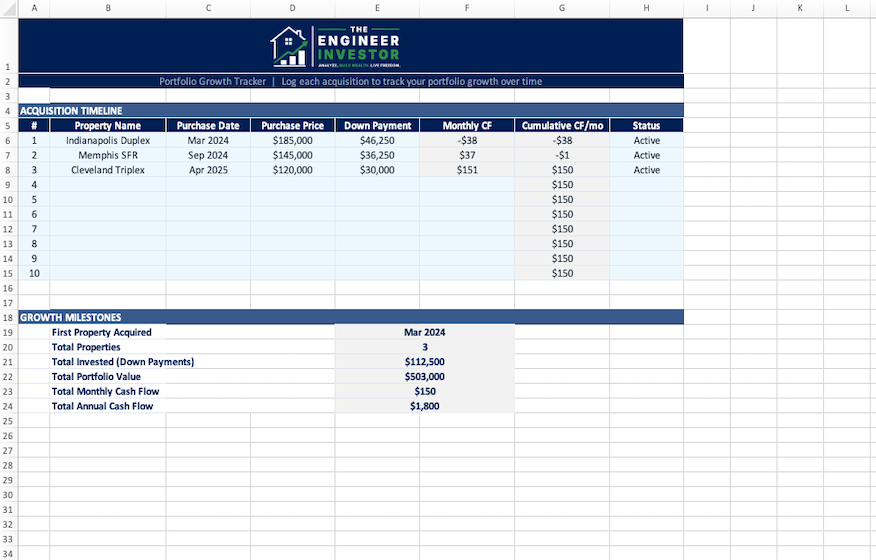
Three tabs designed to give you full visibility into your portfolio’s financial health.
How the Portfolio Tracking Sheet Works
Set it up once. Update monthly. Review your portfolio’s performance at a glance.
Add Your Properties
Enter each property’s address, purchase price, current value, loan details, and key dates. The dashboard auto-populates with your portfolio summary.
Track Monthly
Log rent collected, expenses paid, and any capital improvements. The P&L sheet calculates net income and cash flow for each property automatically.
Track Growth
The growth tracker logs each acquisition with cumulative cash flow milestones. See your total invested, portfolio value, and monthly cash flow grow over time.
Built for Investors Who Want Visibility Into Their Portfolio
Multi-property owners who need a single source of truth for income, expenses, and cash flow across all their properties
W2 investors managing a growing portfolio on nights and weekends who need fast monthly updates without complex software
Tax-time preppers who want clean, organized financial records ready for their CPA instead of scrambling through bank statements
Equity trackers who want to see how their net worth is growing across properties, not just whether rent covers the mortgage
Frequently Asked Questions
Q What format is the Portfolio Tracking Sheet?
Google Sheets. You’ll get a “Make a Copy” link after purchase. No software to install — just open it in your browser and start tracking.
Q How many properties can I track?
Up to 10 properties on the dashboard. The Monthly P&L tab tracks one property at a time — duplicate the tab for each property in your portfolio.
Q What’s in the 3 tabs?
Dashboard (property details, calculated metrics like equity/cap rate/CoC, and portfolio totals), Monthly P&L (12-month income & expense tracker with YTD totals and net cash flow), and Growth Tracker (acquisition timeline with cumulative cash flow and portfolio milestones).
Q How is this different from the Rental Deal Analyzer?
The Deal Analyzer helps you evaluate a property before you buy. This tracking sheet helps you manage properties after you own them. Many investors use both — the Analyzer to buy right, and this sheet to track performance over time.
Q How often should I update it?
Monthly is ideal — log rent received and expenses paid in the P&L tab. Takes about 10 minutes per property. The dashboard and growth tracker update automatically.
Q Is there a refund policy?
Because this is a digital product, all sales are final. But if you run into any issues, email contact@theengineerinvestor.co and we’ll make it right.
You Might Also Like
Portfolio Scaling Roadmap
Strategic guide to scaling from 1 to 10+ properties. Covers BRRRR, financing, delegation, and portfolio management.
Rental Deal Analyzer
Model cash flow, cap rate, cash-on-cash return, and DSCR for any rental property.
PM Hiring Checklist
15-question interview template, red flags guide, and fee comparison framework for hiring property managers.
Know Exactly How Your Portfolio Is Performing
For $19, you get a reusable tracking sheet that turns scattered data into a clear financial picture of your entire portfolio.